
Mercedes W211, W203, W204 Radio Code Guide - All Models [2026]
31 Ocak 2025
Independent code-information service • Support available 7 days a week
Select Your Mercedes Model
🎯 Identify the Correct Unit Before Ordering
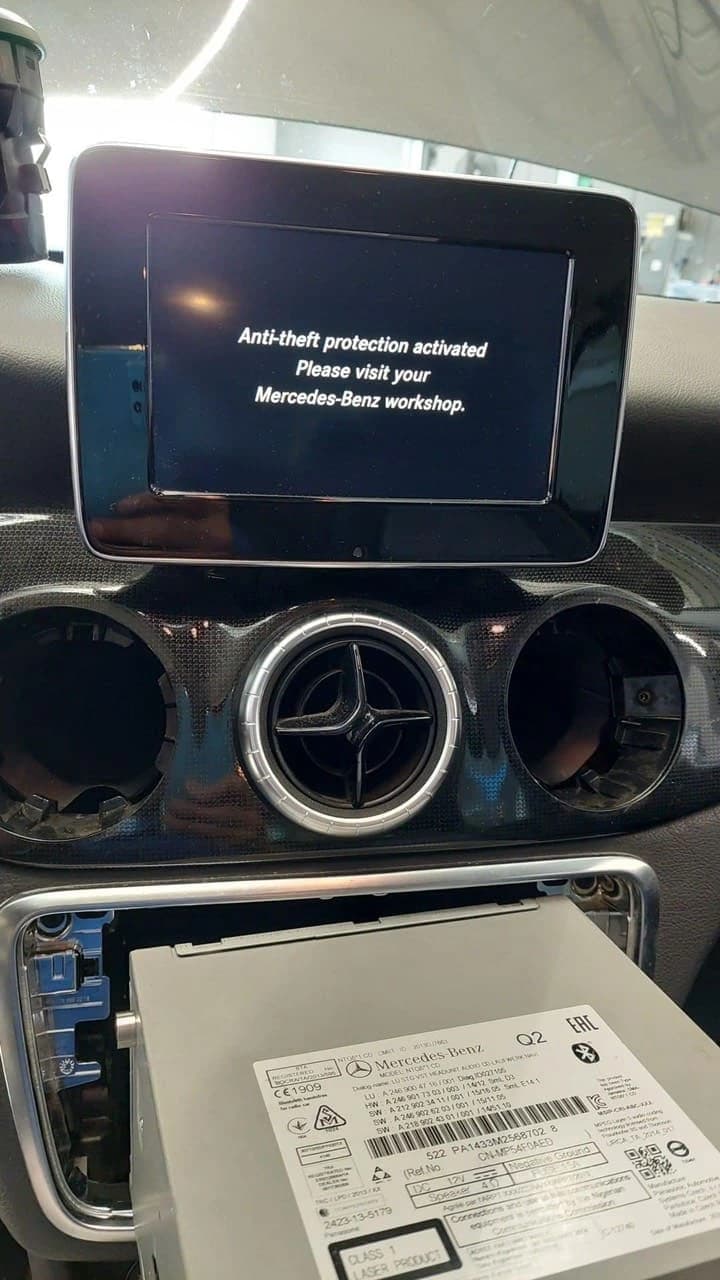
Model year alone may not identify the installed Audio or COMAND unit. Confirm the unit and serial number first:
📋 Complete Model Guide
- Identify Your Mercedes Model
- W211 E-Class (2002-2009) - Complete Guide
- W203 C-Class (2000-2007) - Complete Guide
- W204 C-Class (2007-2014) - Complete Guide
- Universal Methods (All Models)
- Serial Number Locations by Model
- Code Entry Methods by Model
- Model-Specific Troubleshooting
- Year-Specific Important Notes
- Model Comparison & FAQ
🔍 Step 1: Identify Your Mercedes Model
First, let's make sure you know exactly which Mercedes model you have. This is crucial for getting the correct unlock procedure:
🏷️ Method 1: VIN Decode
Look at your VIN (17 characters) - positions 4-6 tell you the model:
- W211: VIN contains "211" in positions 4-6
- W203: VIN contains "203" in positions 4-6
- W204: VIN contains "204" in positions 4-6
VIN Location: Dashboard (driver side), door frame, or registration papers
📅 Method 2: Production Year
🎛️ Method 3: Radio System
- W211: Audio 20, Audio 50, COMAND APS
- W203: Audio 5, Audio 10, Audio 20
- W204: Audio 20, Audio 50, COMAND NTG
🤔 Still Not Sure?
If you're still uncertain, identify the installed unit before ordering. Compatibility depends on the unit and submitted identifiers; a vehicle model alone does not establish support.
Check Unit CompatibilityMercedes W211 E-Class (2002-2009) - Complete Guide
E200, E220, E230, E240, E270, E280, E300, E320, E350, E400, E500, E550, E55 AMG, E63 AMG
📻 W211 Radio Systems
Audio 20 (Standard)
- Basic AM/FM radio with CD
- Small monochrome display
- Most common in base models
- Serial Location: Display on screen or back label
Audio 50 (Premium)
- Color display with navigation
- DVD changer capability
- Found in higher trim levels
- Serial Location: Service menu or physical label
COMAND APS (Top)
- Full navigation system
- Large color display
- Vehicle settings integration
- Serial Location: Engineering menu
🔢 W211 Serial Number Methods
Method 1: Button Combination (Audio 20)
- Turn radio on
- Press and hold buttons 1 + 3 for 10 seconds
- Serial displays:
AL2910xxxxxformat - Write down complete 14-character code
Method 2: Service Menu (Audio 50/COMAND)
- Go to Setup → System → Version
- Look for "Hardware" or "Serial"
- Note down complete number
- May also be in Engineering mode
Method 3: Physical Removal
- Use radio removal tools (DIN keys)
- Pull unit straight out
- Check white label on back/side
- W211 specific: May require dashboard trim removal
⌨️ W211 Code Entry Procedure
Audio 20 Code Entry:
- Turn radio on (should show "CODE")
- Use preset buttons to enter digits:
- Button 1 = First digit
- Button 2 = Second digit
- Button 3 = Third digit
- Button 4 = Fourth digit
- Press and hold buttons 1+3 to confirm
- Radio should unlock and play
Audio 50/COMAND Entry:
- Navigate to Audio → Settings
- Select "Enter Code" or "Anti-Theft"
- Use rotary controller to select digits
- Confirm each digit with center button
- Select "OK" to complete entry
⚠️ W211 Common Issues
🔋 Battery Drain Issue
Problem: W211 prone to battery drain, causing frequent radio locks
Solution: Check alternator, battery health, and SAM modules
🖥️ COMAND Black Screen
Problem: Display goes black but unit still powers
Solution: May need COMAND repair, not just unlock code
🔧 Fiber Optic Issues
Problem: MOST bus problems affecting audio
Solution: Check fiber optic connections, may need professional diagnosis
🎯 Get W211 E-Class Code Now
Specialized service for W211 E-Class models (2002-2009)
Review W211 Code ServiceMercedes W203 C-Class (2000-2007) - Complete Guide
C160, C180, C200, C220, C230, C240, C270, C280, C300, C320, C350, C32 AMG, C55 AMG
📻 W203 Radio Systems
Audio 5 (Basic)
- Simple AM/FM radio only
- LED display
- Found in early/base models
- Serial Location: Button combination only
Audio 10 (Standard)
- Radio with cassette or CD
- Small LCD display
- Most common in W203
- Serial Location: Display or back label
Audio 20 (Premium)
- CD changer capability
- Larger display
- Higher trim levels
- Serial Location: Multiple methods available
🔢 W203 Serial Number Methods
Method 1: Classic Button Method
- Turn radio on
- Press and hold buttons 1 + 6 simultaneously
- Hold for 3-5 seconds
- Serial displays in format:
XXXXXXX(7-14 digits) - Note: Some W203 use 1+3 combination
Method 2: Alternative Buttons
- If 1+6 doesn't work, try buttons 2 + 6
- Or try buttons 1 + 3
- Hold each combination for 10 seconds
- W203 radios vary by production year
Method 3: Scan Mode
- Turn radio on
- Press SCAN button
- While scanning, press buttons 1 + 6
- Serial may display during scan cycle
⌨️ W203 Code Entry Procedure
Standard W203 Entry:
- Turn radio on (displays "CODE" or "ENTER CODE")
- Enter code using preset buttons:
- Press button 1 repeatedly for first digit
- Press button 2 repeatedly for second digit
- Press button 3 repeatedly for third digit
- Press button 4 repeatedly for fourth digit
- After entering all 4 digits, press button 5 or button 6
- Radio should unlock immediately
🚨 W203 Important Notes:
- Some W203s require holding button 5 for 3 seconds
- If code doesn't work first time, try buttons 1+3 to confirm
- Early W203 (2000-2002) may have different confirmation method
- Audio 5 systems might use BAND + SEEK to confirm
⚠️ W203 Specific Challenges
🔄 Multiple Button Combinations
Problem: W203 had several radio suppliers (Becker, Alpine, etc.)
Solution: Try different button combinations if first doesn't work
📅 Year-Specific Variations
Problem: 2000-2003 vs 2004-2007 have different procedures
Solution: Note your exact production year when ordering code
🎛️ Facelift Changes
Problem: 2004 facelift changed some radio systems
Solution: Pre-facelift vs post-facelift may need different approach
🎯 Get W203 C-Class Code Now
Specialized service for W203 C-Class models (2000-2007)
Review W203 Code ServiceMercedes W204 C-Class (2007-2014) - Complete Guide
C180, C200, C220, C230, C250, C280, C300, C320, C350, C400, C63 AMG
📻 W204 Radio Systems
Audio 20 (Standard)
- Basic radio with CD player
- Monochrome display
- Standard in most W204
- Serial Location: Button combo or service menu
Audio 50 APS (Premium)
- Navigation system included
- Color display
- DVD player capability
- Serial Location: System information menu
COMAND NTG 4/4.5 (Top)
- Latest COMAND system
- Large color screen
- Full vehicle integration
- Serial Location: Engineering mode
🔢 W204 Serial Number Methods
Method 1: Modern Button Method
- Turn radio on
- Press and hold buttons 1 + 3 for 6 seconds
- Serial displays as:
NTG4xxxxxorAL29xxxxx - Write down complete number (usually 14 digits)
Method 2: COMAND Service Menu
- Press Setup → System
- Select Version Information
- Look for "Hardware Version" or "Serial Number"
- May need to scroll through multiple screens
Method 3: Engineering Mode (COMAND)
- Turn off radio
- Hold Back + Call + Hang-up buttons
- Turn radio on while holding buttons
- Navigate to system information
- Warning: Exit engineering mode properly
⌨️ W204 Code Entry Procedure
Audio 20 Code Entry:
- Turn radio on (shows "CODE" or "Enter Anti-Theft Code")
- Use preset buttons (1-4) to enter digits:
- Button 1 cycles through 0-9 for first digit
- Button 2 cycles through 0-9 for second digit
- Button 3 cycles through 0-9 for third digit
- Button 4 cycles through 0-9 for fourth digit
- When correct code displays, press and hold buttons 1+3
- Radio unlocks and resumes normal operation
COMAND NTG Entry:
- Navigate to Audio menu
- Select Enter Code or Anti-Theft
- Use controller knob to select each digit
- Press center button to confirm each digit
- Select OK or Confirm when complete
⚠️ W204 Advanced Features
🔐 Enhanced Security
Feature: W204 has improved anti-theft protection
Note: More sensitive to power interruptions, may lock more frequently
🆕 NTG System Updates
Feature: COMAND can receive software updates
Note: Updates may reset radio, requiring code re-entry
🔧 CAN Bus Integration
Feature: Deep integration with vehicle systems
Note: Other ECU issues can affect radio operation
🎯 Get W204 C-Class Code Now
Specialized service for W204 C-Class models (2007-2014)
Review W204 Code Service🌐 Universal Methods (All Models)
These methods work across W211, W203, and W204 models, though specific button combinations may vary:
🔄 Universal Serial Display
Try These Button Combinations (In Order):
- Buttons 1 + 3 (hold 6-10 seconds) - Most common
- Buttons 1 + 6 (hold 5 seconds) - W203 common
- Buttons 2 + 6 (hold 5 seconds) - Alternative
- Buttons 1 + 4 (hold 10 seconds) - Some variants
- Button combination during power-on - Hold while turning on
Success indicators: Serial number appears on display (7-14 characters)
🔍 Universal Physical Check
Radio Removal Method:
- Obtain radio removal tools (Mercedes DIN keys or aftermarket)
- Insert tools into side slots of radio
- Apply outward pressure and pull radio forward
- Look for white/silver label on back or sides
- Serial format varies:
AL29xxx,NTGxxx, or numeric
Model-specific notes:
- W211: May require trim removal
- W203: Straightforward removal
- W204: More integrated, careful removal needed
📊 Model Comparison Table
| Feature | W211 E-Class | W203 C-Class | W204 C-Class |
|---|---|---|---|
| Production Years | 2002-2009 | 2000-2007 | 2007-2014 |
| Common Serial Method | Buttons 1+3 (10s) | Buttons 1+6 (5s) | Buttons 1+3 (6s) |
| Code Entry | Buttons 1-4, confirm 1+3 | Buttons 1-4, confirm 5/6 | Buttons 1-4, confirm 1+3 |
| Radio Systems | Audio 20/50, COMAND APS | Audio 5/10/20 | Audio 20/50, COMAND NTG |
| Serial Format | AL29xxxxx (14 digits) | Various (7-14 digits) | NTG4xxxxx/AL29xxxxx |
| Lock Frequency | High (battery issues) | Medium | High (sensitive security) |
| Difficulty Level | Medium-Hard | Easy-Medium | Medium |
🚀 Ready to Unlock Your Mercedes Radio?
Original unit-specific codes from the OEM code record for supported units
Email Delivery
Review the current estimated delivery window before payment
Compatibility Review
Confirm the installed unit and identifiers before ordering
Current Price
Often lower than many alternatives; the selected checkout price governs
Support and Remedies
Support and refund eligibility follow the published policies
❓ Model-Specific FAQ
W211 E-Class FAQ
Q: My W211 COMAND shows black screen, will code help?
A: If power LED is on but screen black, it's likely hardware failure, not lock. Try pressing power button first.
Q: W211 keeps locking radio after battery replacement?
A: Common issue. Check SAM modules and use memory saver during future battery work.
Q: Can't find serial on my 2003 W211 Audio 20?
A: Early W211 may need physical removal. Button method sometimes doesn't work on 2002-2003 models.
W203 C-Class FAQ
Q: Buttons 1+6 not working on my W203?
A: Try 1+3 or 2+6. W203 had multiple radio suppliers with different button combinations.
Q: My 2000 W203 has different radio than 2006?
A: Yes, pre-facelift (2000-2003) and post-facelift (2004-2007) have different systems.
Q: Code entry not working with button 5?
A: Try button 6, or hold button 5 for 3 seconds. Some W203 need longer confirmation.
W204 C-Class FAQ
Q: W204 COMAND NTG needs engineering mode for serial?
A: Sometimes. Try system menu first. Engineering mode should be last resort.
Q: Updated my W204 COMAND, now locked again?
A: Software updates can trigger lock. Same unlock code should work if radio not replaced.
Q: My 2014 W204 has different procedure?
A: Late W204 may have NTG 4.5 system with slightly different menus, but same basic procedure.