Mercedes W220 S-Class Radio Code Guide - Premium Solutions [2026]
31 Ocak 2025
خدمة مستقلة لمعلومات الأكواد • دعم طوال أيام الأسبوع
🏆 Premium Service for S-Class Owners
Independent service for supported W220 NTG/COMAND configurations; not Mercedes-Benz or an authorized dealership.
🅂 Select Your S-Class Model
S320 CDI
3.2L V6 DieselS350
3.7L V6 PetrolS430
4.3L V8 PetrolS500
5.0L V8 PetrolS600
5.5L V12 PetrolS55 AMG
5.4L V8 Supercharged⚠️ NTG System Models Only (2003-2006) - See Important Notice Below
🚨 IMPORTANT: Service Availability for W220 S-Class
We DO NOT provide codes for older W220 models (1999-2002) with pre-NTG systems.
The service described here is intended for supported W220 NTG units, commonly found in 2003-2006 configurations, that use the Mercedes Benz Command Code / NTG Anti-Theft PIN system.
What we provide: Original unit-specific NTG Anti-Theft PIN from the OEM code record for supported W220 NTG/COMAND configurations
What we DO NOT provide: Radio codes for older W220 models (1999-2002) with Audio 10/20 systems
⚠️ If your W220 is from 1999-2002, please contact an authorized Mercedes dealership for assistance.
✅ NTG Anti-Theft PIN for W220 S-Class (2003-2006)
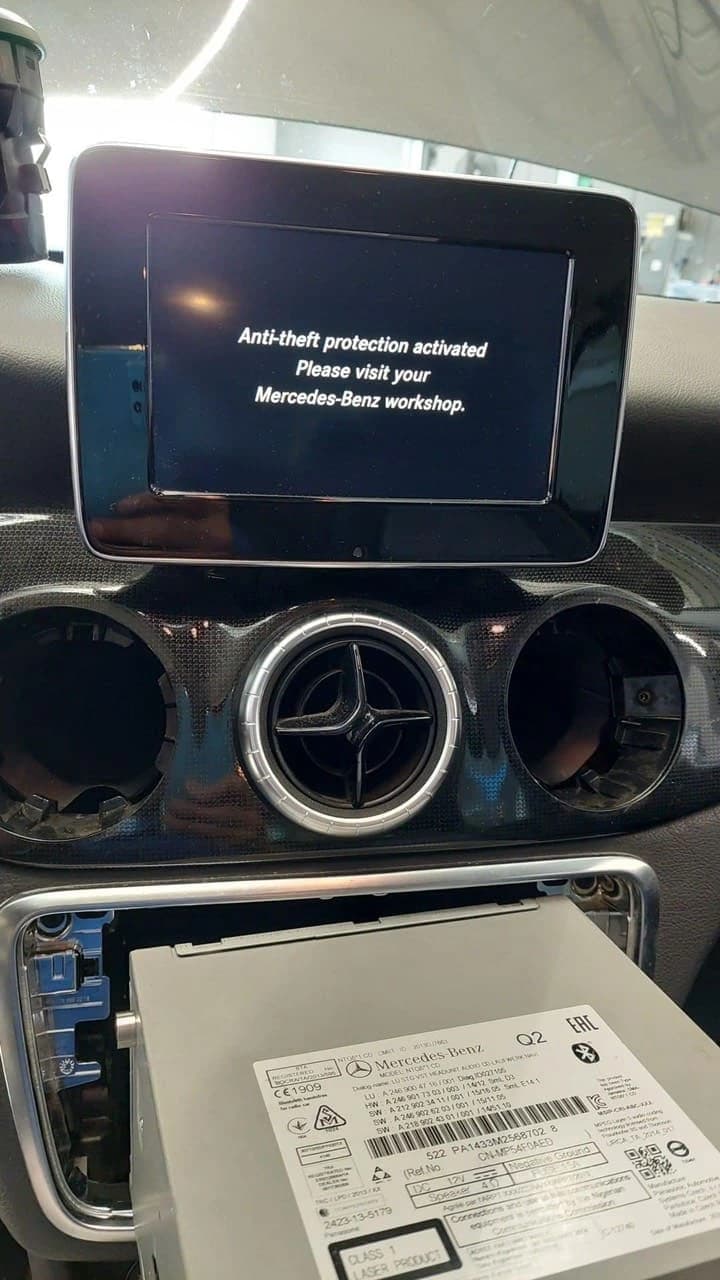
If your W220 S-Class uses a supported NTG/COMAND system, you may need a Mercedes Benz Command Code (also known as NTG Anti-Theft PIN). Our independent service retrieves the original unit-specific code from the OEM code record using the submitted identifiers; we are not Mercedes-Benz or an authorized dealership. Compatibility and the estimated delivery window depend on the installed unit and submitted identifiers.
What you're searching for: "Mercedes W220 radio code" → What you actually need (NTG models only): "NTG Anti-Theft PIN" or "Command Code"
📋 S-Class Radio Code Guide (NTG Anti-Theft PIN)
🏆 Mercedes W220 S-Class Overview (1999-2006)
The W220 S-Class represents Mercedes-Benz flagship luxury technology of the early 2000s. These vehicles featured some of the most advanced audio systems of their era, requiring specialized knowledge for radio unlock procedures (NTG Anti-Theft PIN or Command Code).
1999-2002 (Early W220)
- Introduction of COMAND 2.0 system
- DVD-based navigation
- Bose premium audio options
- First-generation fiber optic MOST bus
2003-2006 (Late W220)
- Refined COMAND 2.0 systems
- Improved reliability
- Enhanced audio quality
- More integrated vehicle functions
Why W220 Radio Codes Are Special
🔒 Enhanced Security
W220 introduced more sophisticated anti-theft protection than previous generations
🎵 Premium Audio
Bose and high-end sound systems require specialized unlock procedures
🖥️ COMAND Integration
Radio, navigation, and vehicle systems deeply integrated
🔧 Complex Architecture
MOST fiber optic network creates unique challenges
📻 W220 S-Class Audio Systems
COMAND 2.0 (Standard/Premium)
Features:
- DVD-based navigation system
- AM/FM radio with RDS
- CD/DVD player
- Phone integration
- Vehicle settings control
Serial Location:
- Engineering menu access
- System information screen
- Physical label on unit
Audio 30 APS (Mid-range)
Features:
- Basic navigation
- CD changer compatibility
- Smaller color display
- Limited vehicle integration
Serial Location:
- Button combination method
- Service menu access
- Back panel label
Bose Premium Sound
Features:
- High-end audio amplification
- Multiple speakers (10-14 speakers)
- Digital signal processing
- Integrated with COMAND
Special Notes:
- May require amplifier reset
- MOST bus communication
- Complex diagnostic procedures
👑 Professional S-Class Service
Confirm the installed unit and entry method before requesting a code:
🔍 W220 Serial Number Location Methods
Method 1: COMAND 2.0 System Menu
Standard Access:
- Turn on COMAND system
- Press Setup button
- Navigate to System → Version
- Look for "Hardware" or "Serial Number"
- Write down complete number (format:
NTG2xxxxxorAL29xxxxx)
Alternative Navigation:
- Main Menu → Settings → System Information
- Scroll through information screens
- Look for device identification
Method 2: Engineering Mode (Advanced)
⚠️ CAUTION: Advanced Users Only
- Turn COMAND system off completely
- Hold down these buttons simultaneously:
- Back + Phone + Hang-up
- While holding buttons, turn system on
- Engineering menu should appear
- Navigate to hardware information
- IMPORTANT: Exit properly to avoid system issues
🚨 Engineering Mode Warning
Engineering mode allows access to advanced system settings. Incorrect changes can damage your COMAND system. Only use this method if standard menu access fails.
Method 3: Physical Unit Access
COMAND Unit Removal:
- Remove dashboard trim carefully (multiple clips)
- Disconnect COMAND unit connectors
- Extract unit from dashboard
- Look for white/silver label on unit
- Serial typically on back or side panel
Professional Recommendation:
W220 COMAND removal requires significant dashboard disassembly.We recommend trying software methods first. If physical access is needed, consider professional assistance to avoid damage to luxury interior components.
🖥️ COMAND 2.0 Special Procedures
🔧 COMAND System Reset
Sometimes needed before code entry:
- Turn off vehicle completely
- Wait 30 seconds
- Start vehicle and let COMAND fully boot
- Check if lock screen appears
- If no lock screen, proceed with reset procedure
🔄 MOST Bus Consideration
W220 uses fiber optic network:
- Audio amplifier must be connected for full functionality
- Broken fiber optic cables can affect radio operation
- Multiple control units communicate via MOST
- System errors may require professional diagnosis
🎵 Audio Amplifier Integration
Bose systems have additional considerations:
- Amplifier may need separate reset after unlock
- Speaker calibration might be required
- DSP settings may revert to default
- Professional calibration recommended for optimal sound
⌨️ W220 Code Entry Instructions
COMAND 2.0 Code Entry
Standard COMAND Procedure:
- Turn on COMAND system
- If locked, system displays "Enter Code" or "CODE"
- Navigate to Audio menu
- Select "Enter Anti-Theft Code" option
- Use controller knob to select digits:
- Rotate to select digit (0-9)
- Press center button to confirm
- Move to next position
- After entering all 4 digits, select "OK"
- System should unlock and resume normal operation
If Standard Method Fails:
- Try accessing through Setup → Security → Enter Code
- Some units require: Settings → Anti-Theft → Code Entry
- Early 1999-2000 models may have different menu structure
Audio 30 APS Code Entry
Simplified Procedure:
- Turn radio on (displays "CODE")
- Use preset buttons to enter code:
- Button 1 = First digit
- Button 2 = Second digit
- Button 3 = Third digit
- Button 4 = Fourth digit
- Press and hold buttons 1+3 simultaneously
- Radio should unlock immediately
🚨 Critical: Only 3 Attempts!
W220 systems allow only 3 code entry attempts. After 3 failures, the system locks for 1-2 hours. Ensure you have the correct code before attempting entry!
⚠️ W220 S-Class Specific Issues
🔋 Battery & Electrical Issues
Common Problems:
- ABC hydraulic system drains battery quickly
- Multiple ECUs cause parasitic drain
- Weak battery triggers frequent radio locks
- Alternator issues common on high-mileage units
Solutions:
- Use battery maintainer during storage
- Check ABC pump operation
- Test charging system regularly
- Consider upgrading to higher-capacity battery
🖥️ COMAND Display Problems
Symptoms:
- Black screen but power LED on
- Pixelated or faded display
- Touch screen not responding
- Random restarts or freezing
Diagnosis:
- Display failure ≠ radio lock (different issues)
- If screen completely black, unlikely to be code issue
- Professional COMAND repair may be needed
- Unlocking won't fix hardware problems
🔧 MOST Fiber Optic Issues
Network Problems:
- Broken fiber optic cables
- Failed MOST devices (amplifier, phone, etc.)
- Communication errors between units
- Ghost problems after repairs
Professional Help Needed:
- MOST bus requires specialized diagnostic tools
- Fiber optic cable replacement needs expertise
- Multiple interdependent systems
- DIY repairs often cause more problems
🏆 Why Choose Professional Service for Your S-Class
Order Review and Email Delivery
Confirm the installed unit and identifiers before ordering. The current estimated delivery window is shown with the service details.
S-Class Specialists
Our team specializes in Mercedes luxury models. We understand COMAND 2.0, Bose systems, and W220 intricacies.
Compatibility and Support
Not every W220 fault can be resolved by a code. Support and refund eligibility follow the published service and refund policies.
Price Transparency
Pricing is often lower than many alternatives; the amount displayed at checkout immediately before payment governs the order.
Secure & Confidential
Encrypted payment processing, secure data handling. Your luxury vehicle information stays protected.
Premium Support
Dedicated support for S-Class owners. If you need assistance, our experts are ready to help.
👑 Unlock Your Mercedes S-Class Radio Now
Independent unit-specific code service for supported S-Class configurations
❓ W220 S-Class Owner FAQ
Q: My S500 COMAND shows black screen but power LED is on. Will unlock code help?
A: Black screen with power LED usually indicates hardware failure, not anti-theft lock. Try pressing power button and check if screen responds. If completely unresponsive, COMAND repair may be needed rather than unlock code.
Q: After battery replacement, my S320 radio locks frequently. Is this normal?
A: W220 models are sensitive to power interruptions. Frequent locking suggests battery/charging system issues. Check alternator output and consider using memory saver during future maintenance.
Q: My S430 Bose system has no sound after unlocking. What's wrong?
A: Bose amplifier may need separate reset. Try disconnecting battery for 10 minutes, then reconnect. If problem persists, MOST fiber optic network may have issues requiring professional diagnosis.
Q: Can I prevent my S600 radio from locking during service?
A: Use memory saver device during battery work. Inform technicians about radio lock sensitivity. Some Mercedes specialists can disable anti-theft temporarily during major electrical work.
Q: Is it safe to enter engineering mode on my S55 AMG COMAND?
A: Engineering mode should be last resort. Incorrect settings can damage COMAND system. Try standard menu access first. If engineering mode needed, document all original settings before making changes.
Q: My 2000 S-Class has different COMAND than 2005 model. Same procedure?
A: Early W220 (1999-2002) and later configurations use different audio/COMAND hardware. The code service described here is limited to supported 2003-2006 NTG/COMAND configurations; confirm the installed unit before ordering.